Your Unreal level, live in Blender.
Model, light, paint, sculpt and scatter with Blender's tools. Unreal updates while you drag, and every change made in Unreal comes straight back. No exports, no re-imports, no fixing scale.

From the demo: move a chest in Blender, and Unreal follows while you drag.
One level. Two apps. No export loop.
Open a level in Unreal, click Connect in Blender, and the level appears in Blender at its exact transforms. From then on, whatever you change in either app shows up in the other one while you work.
The export loop
- Model in Blender, export an FBX
- Import into Unreal, fix scale, rotation and pivot
- Reassign materials, re-import textures
- Place it and look at it in the level…
- …then back to Blender, and again for every tweak
With Unreal Live Link
- The real level in Blender: meshes, lights, cameras, Blueprints, foliage and landscape
- Move, model, paint and sculpt, and Unreal follows while you drag
- Change it in Unreal, and Blender follows
- Every change is one Ctrl+Z in Unreal
- Unreal closed? Keep working, then choose which side wins
Unreal decides what exists. Blender becomes a live editor for it.
Blender's tools, on your real Unreal level.
Every picture on this page is a real screenshot of the add-on and the plugin running live.
 Unreal
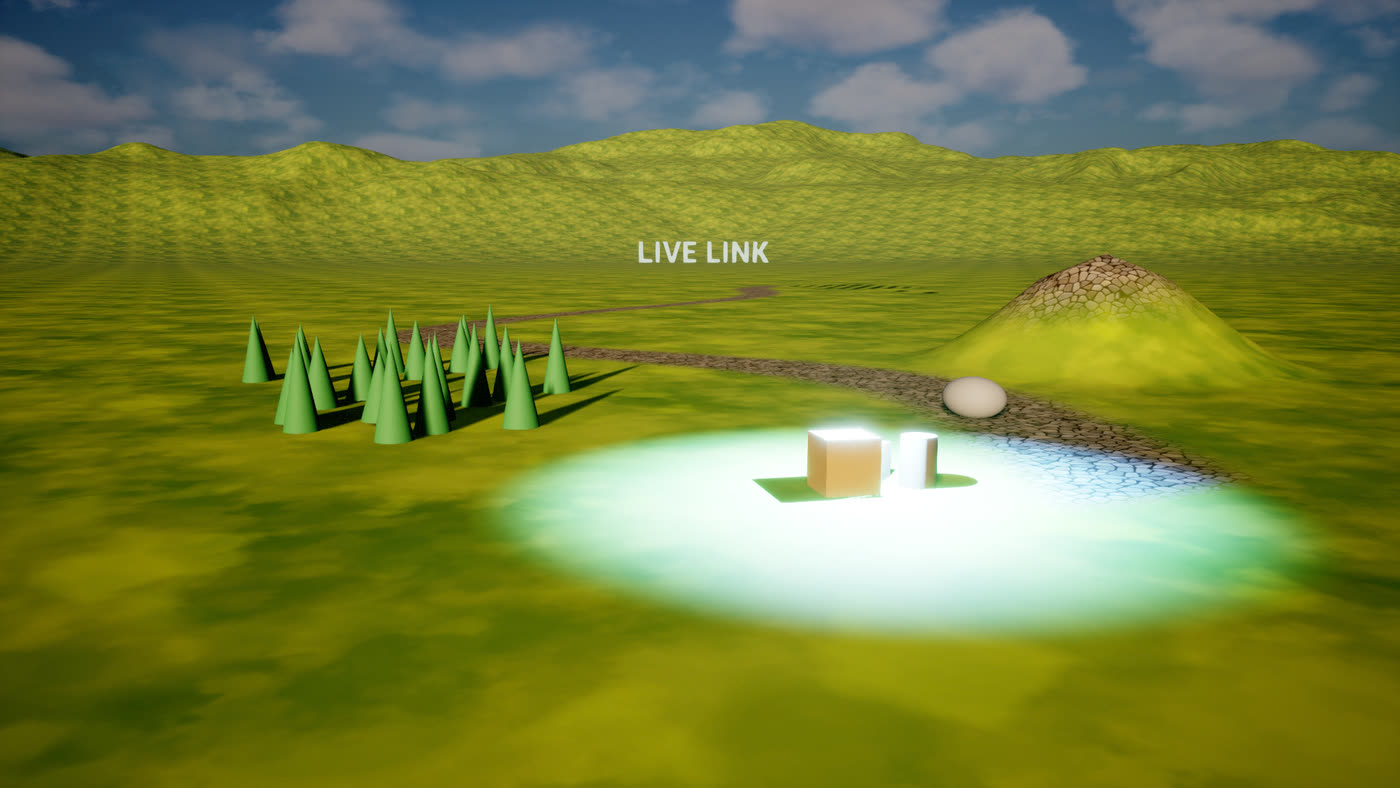
Connect once. The whole level is there.
Static meshes, lights, cameras, Blueprints, foliage and landscape arrive in Blender at their exact transforms, inside one collection named after the level. Unreal's Outliner folders become collections.
- Move, duplicate, rename, re-folder or delete in either app
- A Blender duplicate becomes a real Unreal duplicate, overrides and settings kept
- Shift+A adds straight into Unreal
 Unreal
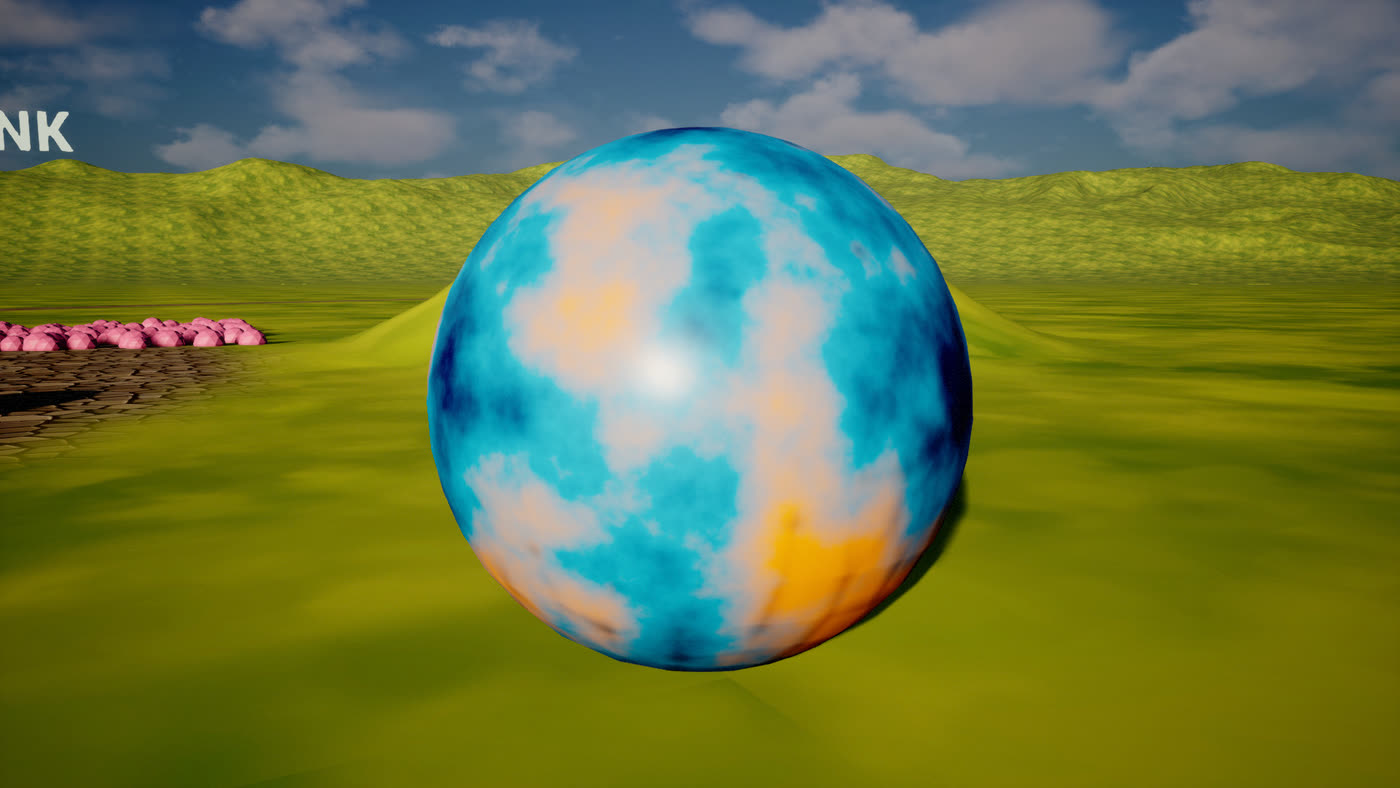
Paint in Blender. See it under Lumen.
Material values reach Unreal in about a millisecond, and the texture you are painting is re-imported in about eight while you keep painting. Exact Materials go further: a Blender node tree becomes one Unreal shader running Cycles' own maths.
- Full PBR material instances with their textures
- Procedural textures, ramps and math nodes match Blender 1:1
- Height maps become real displacement on Nanite meshes
 Unreal
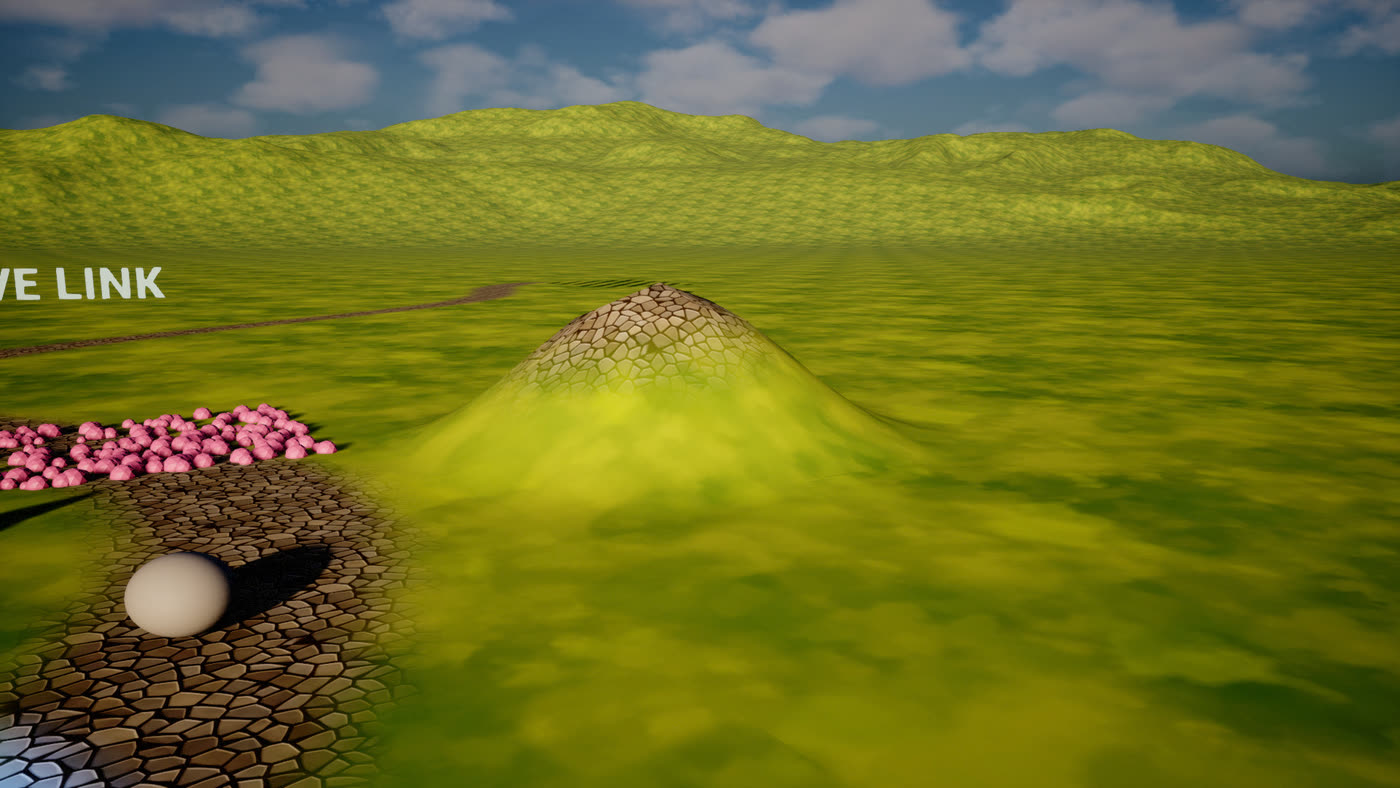
Sculpt the terrain with Blender's brushes.
The landscape comes over with Unreal's exact heights and its look. Each sculpt stroke lands in Unreal as one undoable step, and you can paint the real paint layers with their textures showing.
- Draw, Clay, Smooth, Flatten, Grab: every stroke reaches Unreal
- Paint grass, dirt, rock or snow layers from the Land tab
- Unreal's landscape grass shows in Blender and regrows as you work
 Unreal
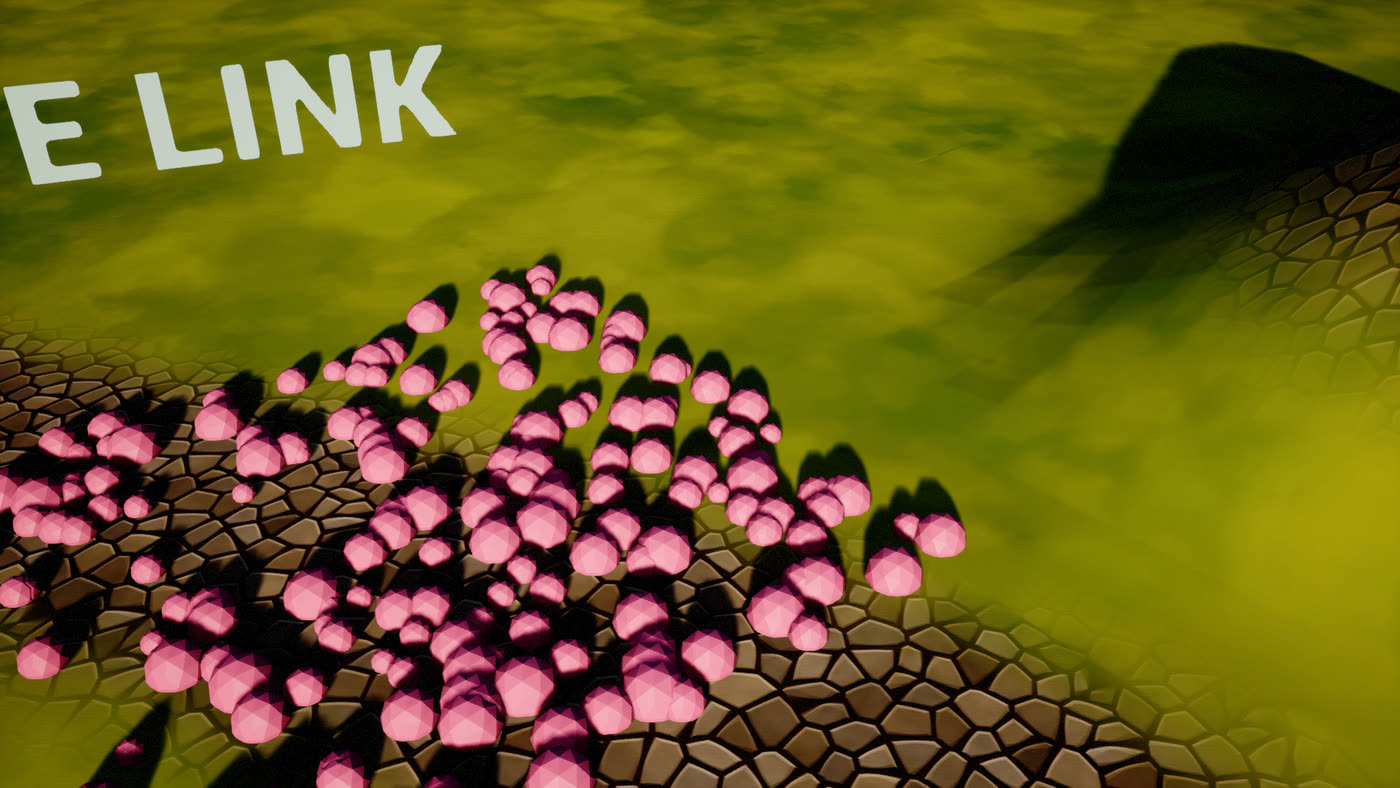
Scatter in Blender. Get lean instances in Unreal.
Distribute rocks, flowers or props with Geometry Nodes. Unreal gets one Instanced Static Mesh component per mesh, Nanite when the mesh is, not one huge merged mesh. Drag a slider and Unreal follows within a fraction of a second.
- Instance meshes from your level: they stay Unreal's own assets
- Tune seed, density and scale live
- Edit Unreal's foliage too: move, copy or delete single instances
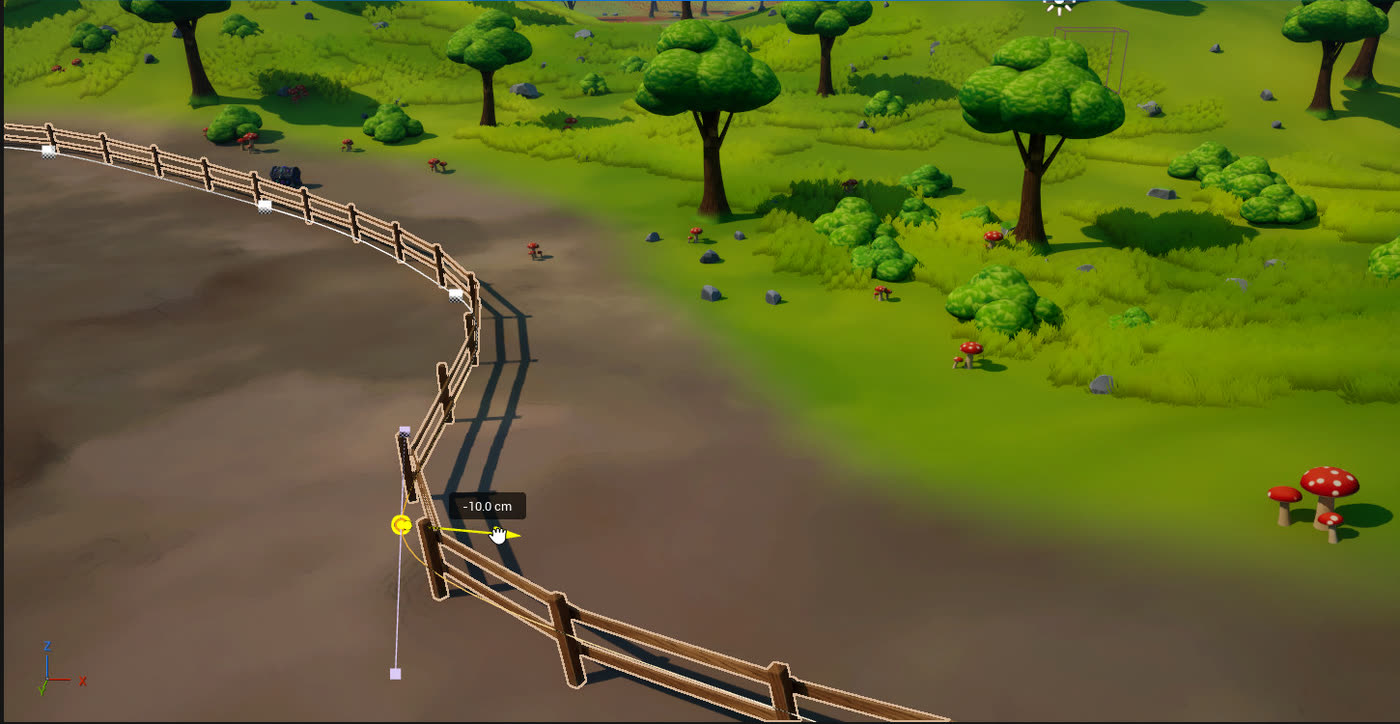 Unreal
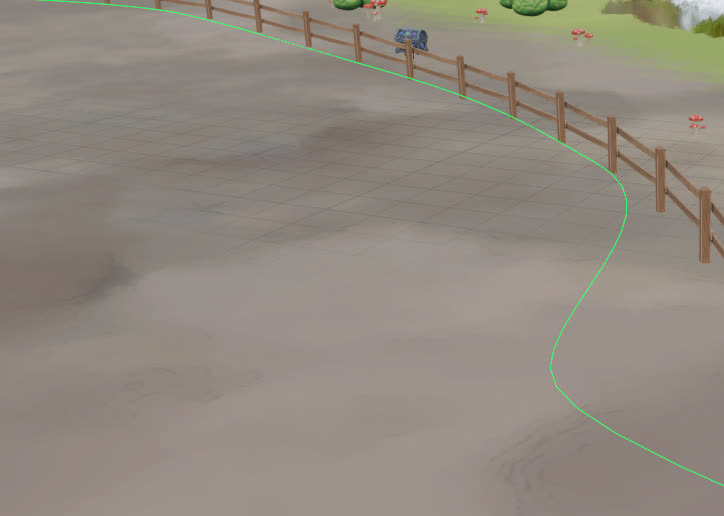 Blender
Bend fences, roads and rails with curve tools.
A Blueprint's spline components come into Blender as editable curves. Move points and handles, extrude new ones, and the construction script rebuilds the Blueprint along them in Unreal.
- Posts, planks and road meshes follow the new shape
- Move the whole Blueprint as one object
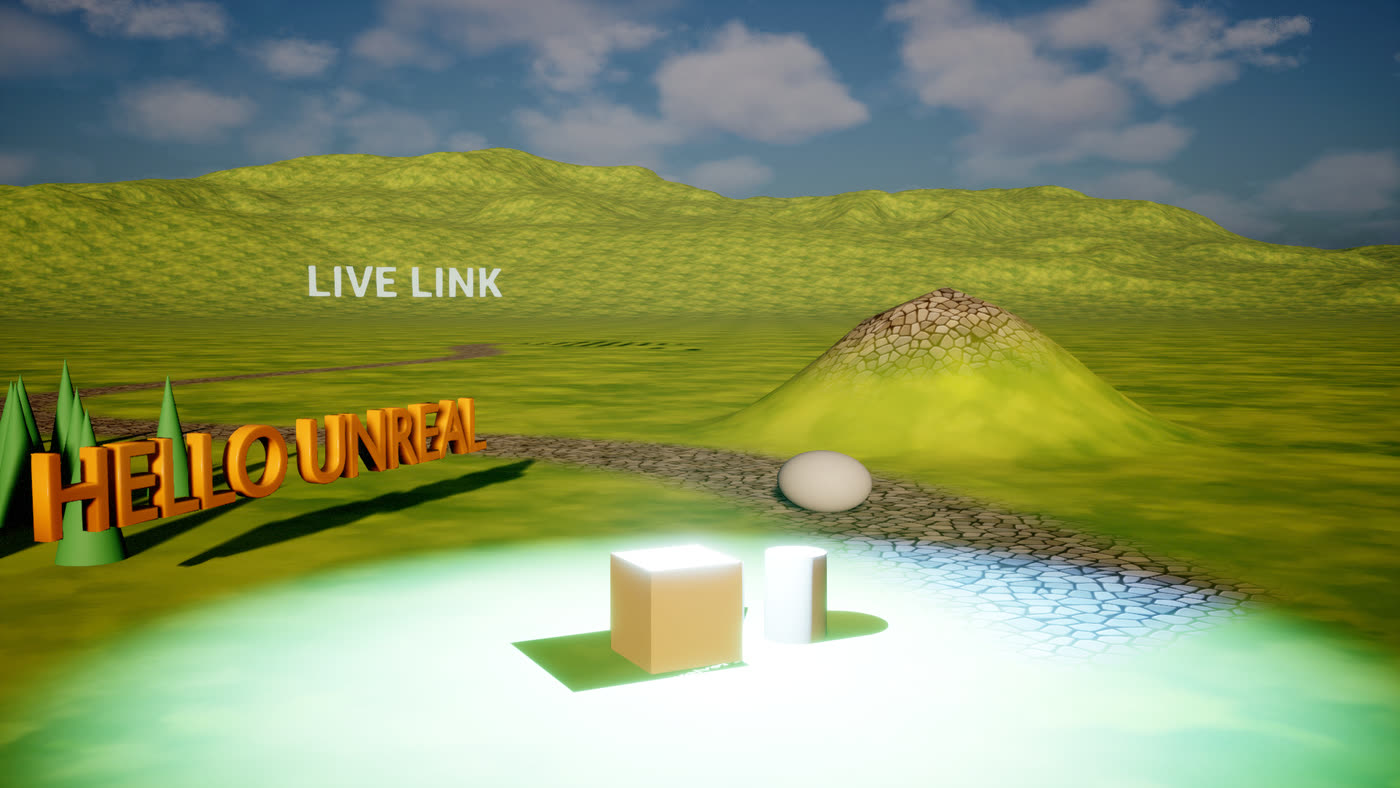 Unreal
Type it, bevel it, animate it.
Curves, text, surfaces and metaballs become live static meshes, updating as you type. An armature with its skinned meshes becomes a Skeletal Mesh actor, and its poses and actions play right in the Unreal editor.
- Text Render actors come over as editable text
- Shape keys arrive as morph targets
- Import Mixamo characters straight from the panel
Everything it does, at a glance.
Twelve areas, each with its own chapter in the demo guide and its own tutorial in the full PDF guide.
Live level mirror
Static meshes, lights, cameras and Blueprints. Move, duplicate, rename, re-folder or delete in either app; the other follows while you drag.
Both waysBoth apps as one
Show in Unreal and Show in Blender jump to the selection in the other app. Unreal's toolbar shows the link. View Sync keeps the cameras together.
Both waysMaterials & textures
Full PBR material instances with their textures. Values reach Unreal in ~1 ms; painted textures are re-imported in ~8 ms.
Both waysExact Materials
A Blender node tree becomes one Unreal shader running Cycles' own maths, verified 1:1, on Nanite meshes too.
Blender → UnrealMeshes & object data
Meshes update in place; Unreal's meshes get a safe copy, or Edit Original with a backup. UVs, vertex colours, weight masks and tags.
Both waysGeometry Nodes scatter
Scatter in Blender, get Instanced Static Mesh components in Unreal: one per mesh, Nanite when the mesh is, live with every slider.
Blender → UnrealFoliage editing
Unreal foliage and ISM / HISM instances as points: move, duplicate and delete them in Edit mode. Foliage stays on the landscape.
Both waysCurves & text
Curves, text, surfaces and metaballs become live static meshes. Text Render actors come over as editable text objects.
Blender → UnrealBlueprint splines
Fences, roads and rails: edit a Blueprint's spline points in Blender and its construction script rebuilds it in Unreal.
Both waysLandscapes
Exact heights. Sculpt in Blender, paint the real paint layers with their textures showing, and see Unreal's grass.
Both waysRigs & animation
An armature with skinned meshes becomes a Skeletal Mesh actor; poses and actions play right in the Unreal editor.
Blender → UnrealLevels & offline work
Browse every level and send objects into any of them. Close Unreal, keep working, and choose who wins when it's back.
Both waysWhat travels, and in which direction.
Anything inside the collection Unreal: <Level> in Blender is live.
| You work with… | Unreal → Blender | Blender → Unreal |
|---|---|---|
| Static meshes | an object: a box first, then the real mesh and textures | an actor; the mesh is imported to /Game/BlenderLink/ |
| Lights & cameras | light and camera objects with matching settings | Point, Spot, Rect, Directional lights and Cine Cameras: colour, unit-correct intensity, angles, shadows, focal length |
| Move · rotate · scale | updates while you drag | updates while you drag |
| Duplicate · rename · folders | object copy · new name · matching collection | a real Unreal duplicate · actor label · Outliner folder |
| Blueprint actors | parts that move as one; spline components as editable curves | move the actor; edit its spline points and the Blueprint rebuilds |
| Curves, text, metaballs | Text Render actors as text objects | a static mesh of what you see, live while you edit, typing included |
| Foliage, ISM / HISM | one instancer per component, each instance a point | move, duplicate or delete instances in Edit mode |
| Landscape | terrain with exact heights, layer textures, paint layers as images | sculpt → heights · paint → paint layers, one Ctrl+Z each |
| Materials | baked base colour, roughness, metal, normal, emissive | full PBR instance and textures, or Exact node-tree shaders |
| Mesh data | all UV channels, vertex colours, actor tags as custom properties | UV maps, vertex colours, weight-paint masks, custom properties as actor tags |
| Rigs | - | armature and skinned meshes → Skeletal Mesh actor, morph targets, animation |
| Viewport | Blender's view follows (View Sync) | Unreal's viewport follows (View Sync) |
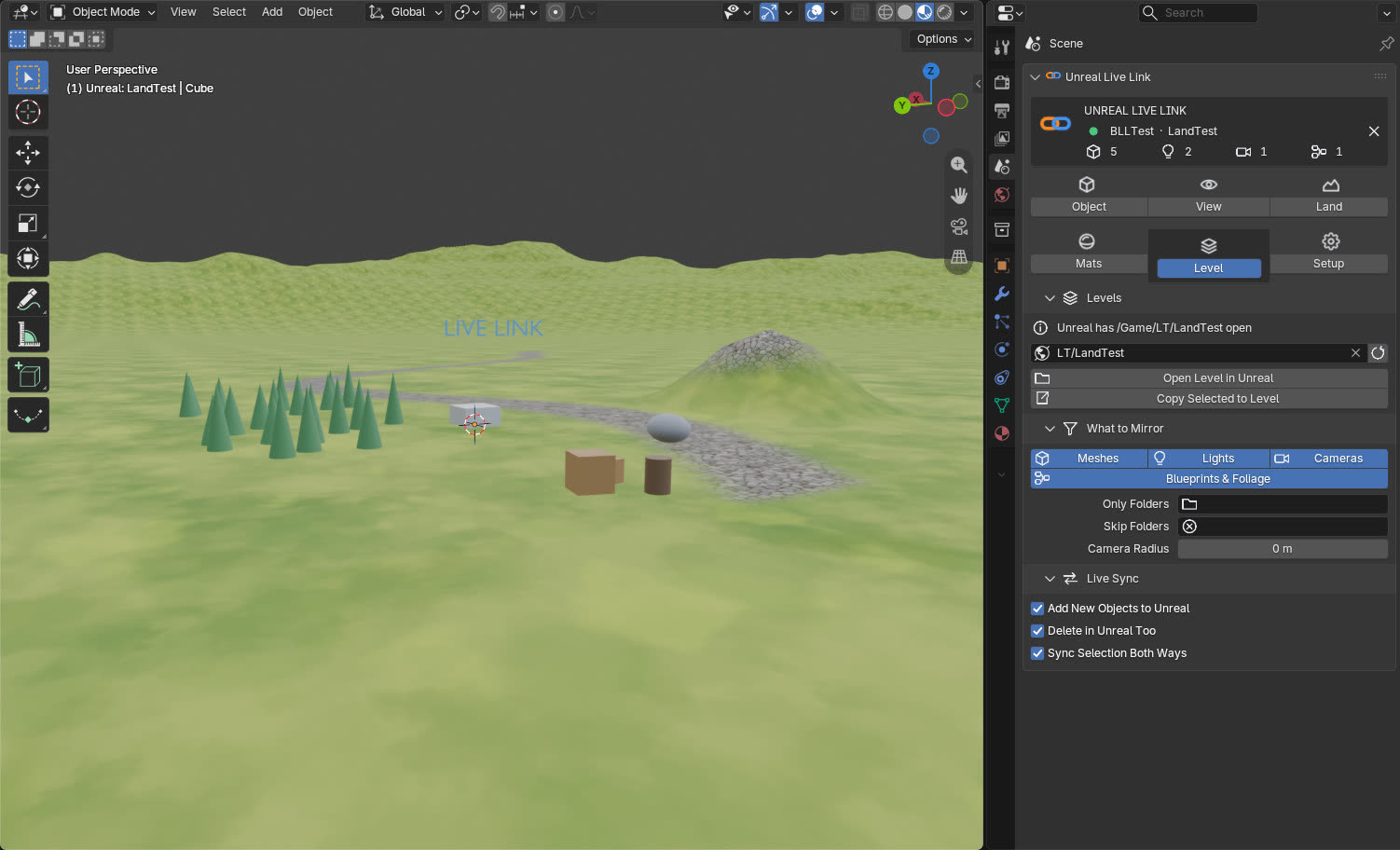 Blender
Everything in one place.
A status card shows the project, the level and what is linked. Below it, six tabs, one per kind of work. The Unreal button in Blender's top bar opens it from any workspace.
Built for people who build worlds.
Environment and level artists, technical artists, indie teams and solo developers who build in Unreal but prefer Blender's modelling, sculpting, painting and Geometry Nodes.
Blockout & set dressing
Rough out a level with Blender's modelling tools on the real level, then dress it with the project's own assets, in place and at exact scale.
Terrain art pass
Shape landforms with sculpt brushes, then paint grass, dirt and rock with the real layer textures showing.
Look-dev under Lumen
Build materials in Blender's node editor and judge them under Unreal's lighting, instantly, with View Sync on a second monitor.
Procedural vegetation
Scatter rocks, flowers or debris with Geometry Nodes. Unreal gets lean instanced components, Nanite when the mesh is.
Roads, fences & rails
Reshape spline Blueprints with Blender's curve tools and watch the construction script rebuild them.
Signage, logos & titles
3D text and logo shapes from Blender curves, and Text Render actors edited as text, colour included.
Character & prop previs
Rig and animate in Blender, and see the skeletal mesh and its action loop inside the level.
Away from the project
Take the .blend to a laptop or keep working while Unreal is closed, then merge your changes when you're back.
Installed in five minutes.
A plugin folder for your Unreal project, an extension for Blender. No command line, no Python setup.
Unreal: once per project
Copy two folders into your project's Plugins folder and start the editor. The plugin switches on the engine plugins it needs and starts the link by itself.
Blender: once
Edit → Preferences → Get Extensions → Install from Disk… and pick the add-on's zip. One Blender works with every project that has the plugin.
Connect & activate
In the 3D View press N, open Unreal Link and click Connect to Unreal. Paste your licence key under Setup → License once per PC, and the level starts mirroring.
Get Unreal Live Link.
Two parts that work together: a free Blender add-on and the licensed Unreal plugin. Secure checkout and instant download through Payhip.
Free Version
The Blender add-on, free and open source (GPL-3.0-or-later).
- The Unreal Link panel for Blender 5.2
- Install once, use it with every linked project
- Look around the panel and the workflow before you buy
Linking a level needs the Pro plugin in Unreal.
Unreal Live Link Pro
The complete live link: the Blender add-on and the Unreal plugin.
- Every feature on this page, both ways, in real time
- The Unreal plugin and the Foliage Helper for UE 5.8
- Licence key for up to 2 PCs
- Keeps working 30 days offline
Move a seat any time with Deactivate This PC.
What you need.
Tested with
- Unreal Engine
- 5.8 on Windows
- Blender
- 5.2
- Foliage Helper
- Built for UE 5.8 Win64; its source is included to rebuild it for others
- Network
- None for the link (127.0.0.1). Licence keys check in online every 3 days
- Versions
- Use the add-on and the plugin from the same release
Good to know
- The Unreal plugin's compiled core is built for Windows; Mac and Linux need their own build.
- Blueprint actors move as a whole; only their spline components are edited in Blender.
- Unreal's own skeletal meshes don't come into Blender. Rigs go from Blender to Unreal.
- Landscape splines and particles aren't mirrored yet.
- Unreal materials show in Blender as a baked approximation.
- One Blender scene links to one Unreal editor at a time.
Questions, answered.
Is it really live, both ways?
Yes. Move, model, paint or sculpt in Blender and Unreal follows while you drag; change something in Unreal and Blender follows. Selected actors are checked at 45 Hz for live drags, and Blender only re-reads what has changed, so both apps stay responsive.
Will it mess up my Unreal project?
It is built to be safe. Every change from Blender is one undo step in Unreal, the link deletes no assets, and if more than 25 linked objects are deleted at once nothing happens in Unreal until you click Delete in Unreal or Restore. Meshes made in Blender go to /Game/BlenderLink/, and editing one of Unreal's own meshes makes a safe copy unless you choose Edit Original, which backs it up first.
Can I keep working when Unreal is closed?
Yes. Close Unreal and keep moving, editing, adding and deleting in Blender. When the project is open again, the link reconnects by itself and asks which side wins: Merge Changes, Blender Wins or Unreal Wins. Nothing is built, sent or removed until you choose.
How does the licence work?
A licence key activates the Unreal plugin on up to 2 PCs. It is re-checked online every 3 days in the background and keeps working for 30 days offline. Deactivate This PC gives the seat back before you change computers.
Does any of my work go online?
No. The two apps talk over 127.0.0.1 on your own PC. The licence check sends only the key and an instance name (computer name and machine code), never project data.
Does it handle big levels?
On a 270-actor level the typical Unreal editor cost is about 1.1 ms per frame. For larger levels, mirror only what you need: a Camera Radius around Unreal's viewport camera, or only some Outliner folders. World Partition regions stream in as Unreal loads them.
Which Unreal and Blender versions are supported?
Unreal Engine 5.8 on Windows and Blender 5.2. Always use the Blender add-on and the Unreal plugin from the same release.
Do I need the Foliage Helper?
Everything works without it except foliage editing, landscape grass and rebuilding Blueprints along splines edited in Blender. It is a small compiled editor plugin included with Pro; copy it into Plugins next to the link.
Stop exporting. Start linking.
Your Unreal level, live in Blender, and every change in Unreal straight back.